How Much RAM Does Craftoria Need? Server Requirements & Setup (2026)
Maksym Savrei
Founder, Piggo
Craftoria has 500+ mods and more than 2,000 quests, so it is easy to look at the size of the pack and assume you need 16 GB of RAM before anyone has even joined.
You probably don't.
But the opposite mistake is just as easy: seeing that the official Craftoria server configuration can launch with a 5 GB maximum heap and assuming 5 GB will still be comfortable after six friends have built separate bases, explored several dimensions and covered the world in automation.
The useful answer sits somewhere between those two extremes.
For most small Craftoria friend groups, we'd start at 8 GB. For larger groups, 12 GB gives more headroom, while 16 GB makes more sense once you have a genuinely busy or mature world.
The reason isn't simply the number of mods. Player count, exploration, world generation, automation, loaded chunks and how old the world is all affect the server differently.
Craftoria's current release is 1.37.0 for Minecraft 1.21.1 on NeoForge, released September 13, 2026. TeamAOE currently describes it as a 500+ mod, 2,000+ quest pack and publishes a matching official server package. CurseForge
Quick answer: how much RAM should a Craftoria server have?
These are practical starting points, not official Craftoria requirements and not claims from a controlled Piggo benchmark.
| Players | Where we'd start | When we'd consider more |
|---|---|---|
| 2-3 players | 8 GB | Heavy automation, separate bases or lots of exploration |
| 4-6 players | 8-12 GB | Players spreading across dimensions or a developed world |
| 7-10 players | 12-16 GB | Several bases, chunk loading and substantial late-game automation |
The important bit is that the table does not mean every six-player server requires 12 GB.
Five friends living together and exploring as a group can be easier to run than three players who each have an automated base thousands of blocks apart.
TeamAOE's own Craftoria FAQ suggests around 8 GB of RAM for the pack and warns that allocating too much can lead to longer garbage-collection pauses. Its more detailed performance documentation identifies 6-8 GB specifically as client guidance; for dedicated servers, TeamAOE recommends the throughput-oriented G1GC collector rather than publishing one universal server RAM requirement. Team AOF
Even more interestingly, the current official Craftoria 1.37.0 server bootstrap is configured with a 3 GB minimum heap and 5 GB maximum heap. That is a default startup configuration, not a promise that a busy multiplayer world only needs 5 GB, but it does show why "500 mods = 16 GB minimum" is too simplistic. GitHub
Craftoria 1.37.0 server requirements
Here is the current baseline if you are setting up a server today:
| Requirement | Craftoria 1.37.0 |
|---|---|
| Minecraft version | 1.21.1 |
| Mod loader | NeoForge |
| Craftoria version | 1.37.0 |
| Java | Java 21 |
| NeoForge version in server config | 21.1.249 |
| Approximate pack size | 500+ mods |
| Quests | 2,000+ |
| Official server package | Yes |
The current 1.37.0 release and matching server package were both published on September 13, 2026. CurseForge
The official server configuration currently targets NeoForge 21.1.249, while TeamAOE recommends Java 21 for Craftoria. Their documentation notes that Craftoria can run better on Java 25, but Java 21 remains the normal baseline we would use unless you specifically know why you are changing it. GitHub
Why 500 mods doesn't mean Craftoria needs 16 GB
Mod count sounds useful because it gives you one simple number.
Technically, though, it tells you very little about the load a server will experience.
A tiny library mod and a huge industrial system both count as one mod. So does a visual client feature. So does something that adds machines, mobs, dimensions or complex world generation.
What matters much more is what those mods are doing while the server is running.
A brand-new Craftoria world with two friends sharing a house has relatively little persistent work to do.
A mature Craftoria world might have industrial processing, storage networks, farms, machines, mobs, chunk-loaded areas and several players active in different dimensions simultaneously.
Same modpack.
Completely different server workload.
Craftoria's current mod list includes substantial automation and storage systems such as Modern Industrialization, FTB Chunks and many other technical mods, as well as performance-focused components such as FerriteCore and ModernFix. GitHub
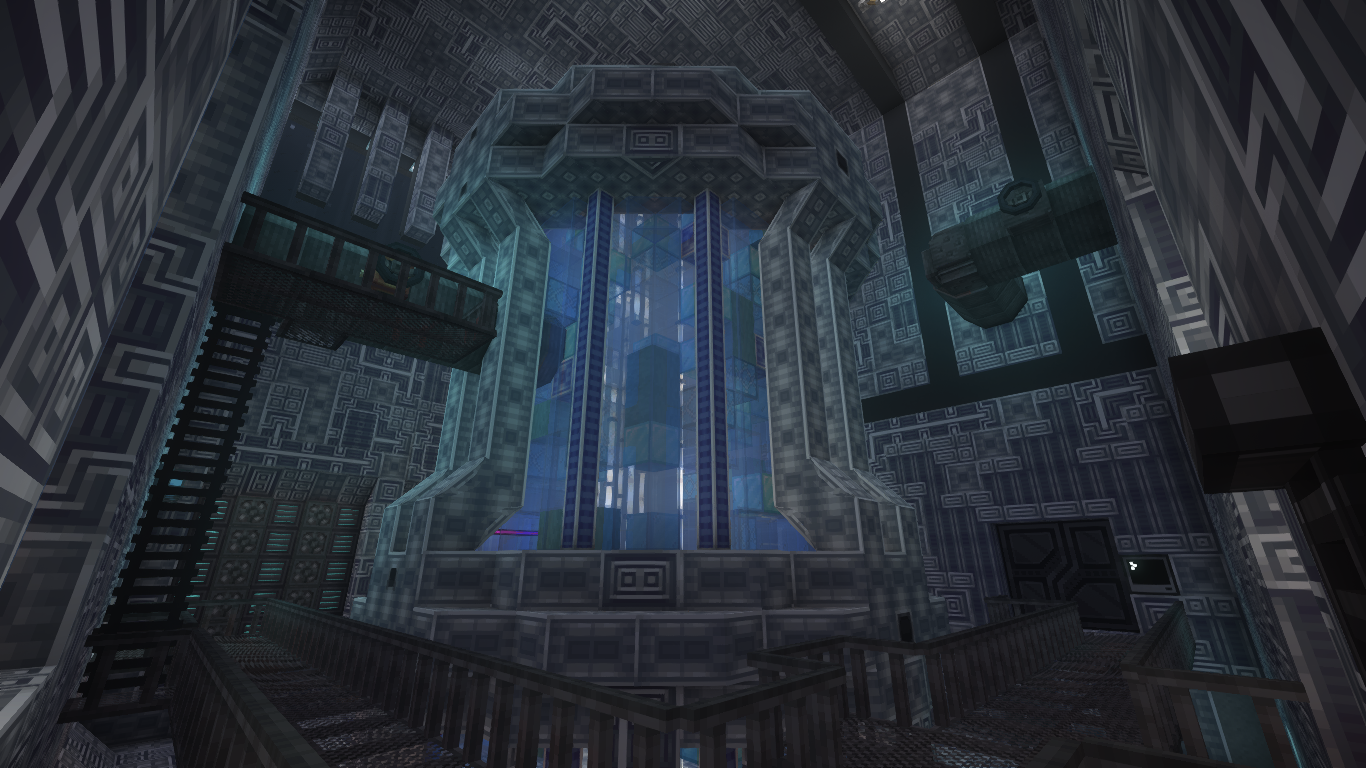
Craftoria can grow from a simple starter base into a much heavier automated world over time.
How much RAM for 2-3 Craftoria players?
For two or three friends, we'd start with 8 GB.
That gives the server considerably more breathing room than Craftoria's default 5 GB maximum heap without immediately jumping into an oversized allocation.
For a normal small friend group, especially one that shares a base, 8 GB is a sensible place to begin.
What would make us reconsider it?
Not simply seeing "7 GB used" in a control panel.
We'd care much more if the world starts showing actual symptoms: memory-related crashes, severe pauses, or a growing workload as the group progresses.
A small group can still build a surprisingly heavy server, particularly if every player creates an independent base with their own automated systems and loaded chunks.
So think of 8 GB as the starting point, not a magical guarantee for the entire lifetime of the world.
How much RAM for 4-6 Craftoria players?
For four to six players, we'd normally think in terms of 8-12 GB.
This is where player behavior starts making a big difference.
Imagine one six-player group where everyone lives in the same base and usually explores together.
Now imagine another:
One player is in the Overworld generating new terrain. Another is in Twilight Forest. Someone is exploring Eternal Starlight. Two people have independent automated bases running, while another player is in The Otherside.
Those are both "six-player Craftoria servers."
They are not the same workload.
Craftoria officially includes major dimensions such as The Bumblezone, Eternal Starlight, Deeper & Darker's Otherside and Twilight Forest, alongside the vanilla dimensions and several utility dimensions. Team AOF
For a fairly normal shared server, we'd be comfortable starting at 8 GB.
For a group where people spread out heavily or you already know the world is going to become a long-term project, 12 GB gives more breathing room.
How much RAM for 7-10 Craftoria players?
Once you get into the 7-10 player range, we'd generally look at 12 GB as the starting point.
A 16 GB allocation becomes more reasonable if those players are regularly online together, maintain several independent bases, keep automation running or explore different parts of the world simultaneously.
But we still wouldn't say:
10 players = 16 GB.
Minecraft doesn't work that cleanly.
Ten players standing around one shared factory do not create the same load as ten players independently generating terrain across several dimensions.
At this size, CPU performance becomes especially important, because adding memory doesn't make expensive tick or world-generation work execute faster.
Exploration is one of Craftoria's heavier workloads
Craftoria isn't a pack where everyone stays inside the same factory forever.
Exploration is a major part of it.
The pack contains several major dimensions, changing progression and large amounts of content outside your base. That's one of the reasons we also picked Craftoria in our Best Minecraft Modpacks for Tech & Exploration (2026) article.
When players enter terrain the server has never seen before, Minecraft has to generate those chunks rather than simply read them from storage.
That means calculating terrain, structures, ores, modded features, mobs and whatever else the pack adds to world generation.
One player exploring is normal.
Several people travelling in different directions can create a much more demanding burst of work.
There are older Craftoria server reports where rapidly generating unloaded terrain caused serious performance or stability problems even after operators increased the available memory. Those reports concern much older Craftoria versions and should not be interpreted as a current 1.37.0 bug; they are useful mainly because they demonstrate why throwing more RAM at a chunk-generation problem does not necessarily solve it. GitHub
CPU matters too - sometimes more than adding RAM
This is where a lot of Minecraft hosting advice falls apart.
Two hosts can both sell you "12 GB RAM" while delivering completely different performance.
RAM determines how much working memory the server has available.
The CPU still has to actually process the game.
Minecraft aims to run at 20 server ticks per second. Large factories, entities, world generation and loaded modded systems all add work to those ticks.
If that processing becomes the bottleneck, upgrading from 12 GB to 16 GB does not magically make the processor execute the game faster.
There are even documented Craftoria cases where a server experienced major TPS degradation while overall system resources were nowhere near full; the underlying cause was work being performed by an entity inside permanently loaded chunks. Unloading those chunks stopped the slowdown. That report came from Craftoria 1.22.2 rather than the current version, so it isn't evidence of a current bug, but it is a good illustration of why lag and insufficient RAM are not synonyms. GitHub
This is why CPU quality matters so much when choosing a host for a large modpack.
Piggo's current Minecraft nodes use Ryzen 9 9950X processors, DDR5-6000 ECC memory and NVMe Gen4 storage across its plans. Piggo
Why your Craftoria server can get heavier over time
The server you start tonight is not necessarily the server you'll have two months from now.
Early on, your group has a few chests, some starter machines and relatively little infrastructure.
Then everyone progresses.
Your storage grows. Automation spreads. Farms stay active. More areas get claimed or loaded. Several players establish separate bases. More dimensions and terrain have been explored.
A server that comfortably handled your group at the beginning can therefore become more demanding without adding another player.
This is why we don't recommend paying for the largest RAM plan immediately just because you might need it eventually.
Start with enough headroom for the group you actually have.
Then increase it if the world actually grows into the extra capacity.
Should you pregenerate a Craftoria world?
World pregeneration can be useful for Craftoria, but it isn't something every server needs.
Pregeneration means creating a chosen area of terrain ahead of time rather than waiting for players to discover each chunk during normal gameplay.
The main advantage is straightforward: some of the expensive generation work happens before your group is actively trying to play.
That can be useful on a larger server where several people like travelling long distances.
But there is a trade-off.
Pregenerated terrain still has to be stored. A huge pregenerated radius means a larger world, more storage usage and bigger backups.
So we would not generate an enormous area just because a generic optimisation guide says you should.
For two friends casually exploring together, it may provide very little value.
For eight players constantly travelling in different directions, it becomes much more interesting.
Can you allocate too much RAM to Craftoria?
More RAM isn't automatically harmful, but blindly increasing the Java heap is not always an improvement.
TeamAOE specifically warns Craftoria players that excessive RAM allocation can lead to longer garbage-collection pauses. Team AOF
There is also a second issue: the Java heap is not the only thing using memory.
The JVM itself and the operating system still need resources outside whatever value you configure as the maximum heap.
An older Craftoria support case demonstrated this from the client side. A player with 16 GB of system memory kept increasing Minecraft's allocation from 8 GB toward 12 GB after encountering insufficient-memory crashes, but the machine as a whole was running short of memory. Giving Java an even larger heap wasn't solving the underlying problem. GitHub
A dedicated game server is a different environment, but the principle remains useful:
Give Craftoria enough memory. Don't assume the largest possible heap is automatically the best configuration.
What does Craftoria's official 5 GB server setting actually mean?
This is probably the most confusing number in the entire topic.
Craftoria's current official server configuration contains minRam: 3G, maxRam: 5G and uses G1GC. GitHub
That means TeamAOE's provided bootstrap is configured to launch the server with a minimum heap of 3 GB and maximum of 5 GB.
It does not mean:
- "Craftoria uses exactly 5 GB."
- "5 GB is recommended for ten players."
- "Buy exactly 5 GB of system memory."
It is simply the default JVM configuration shipped with the server setup.
That's why we're comfortable recommending more headroom for an actual multiplayer server while also rejecting the idea that the pack inherently needs 16 GB just to exist.
How to install a Craftoria 1.37.0 server
TeamAOE publishes a dedicated Craftoria Server 1.37.0 package alongside the regular client release. The current server package targets Minecraft 1.21.1 and NeoForge. CurseForge
For self-hosting, TeamAOE's documented process is:
- Download and extract the Craftoria server ZIP from CurseForge.
- Run startserver.bat on Windows or the .sh script on Linux/macOS.
- Accept the Minecraft EULA when prompted.
- Make sure you're running the correct Java version - for current Craftoria, use Java 21. Team AOF
Use the server package, rather than simply copying your entire client instance onto a server.
The current official setup deliberately excludes client-only projects such as shaders, UI elements and visual mods when building the server environment. GitHub
The server download itself is only around 7.6 KB because it acts as a setup/bootstrap package that retrieves and builds the required server environment rather than bundling the entire installed pack into one enormous archive. CurseForge
Which Piggo plan should you use for Craftoria?
Piggo currently has 8 GB Standard, 12 GB Plus and 16 GB Endgame plans, all using the same Ryzen 9 9950X / DDR5 / NVMe platform. Piggo
For Craftoria, we'd map them roughly like this:
| Your group | Where we'd start |
|---|---|
| 2-3 friends | Standard - 8 GB |
| 4-6 friends | Standard or Plus - 8-12 GB |
| 7-10 friends | Plus - 12 GB, with 16 GB for heavier worlds |
| Large/mature Craftoria world | Size around the actual world, not only player count |
The important part is that we wouldn't automatically sell somebody 16 GB because Craftoria has 500 mods.
If you have three friends, start smaller.
If the group grows or the world becomes substantially heavier, RAM can be increased later.
And if the actual problem is CPU load, chunk generation or something broken inside the pack, buying another 4 GB of memory may not solve anything.
That's also the point of Piggo being managed hosting rather than just a RAM rental: you tell us what you want to play, we handle the server side, and if something breaks you have somebody to ask rather than being left alone with a panel.
Is Craftoria good for playing with friends?
Craftoria is particularly well suited to friend groups because everyone doesn't need to enjoy modded Minecraft in the same way.
One person can spend the evening building automation.
Someone else can go into Twilight Forest.
Another player can chase progression or bosses.
Someone inevitably spends four hours redesigning storage.
And everyone is still contributing to the same world.
TeamAOE's official documentation lists The Bumblezone, Eternal Starlight, The Otherside and Twilight Forest among the pack's major dimensions, while the pack itself is categorized around tech, exploration, magic and quests. Team AOF
If you're still deciding whether Craftoria is the right pack rather than just deciding how to host it, see our Best Minecraft Modpacks for Tech & Exploration (2026) guide.
So, how much RAM does Craftoria actually need?
If you're starting a Craftoria server today, this is the simple version:
- 2-3 players: start at 8 GB.
- 4-6 players: start around 8-12 GB, depending on how spread out the group is.
- 7-10 players: 12 GB is a sensible starting point, while 16 GB gives more room for a busy or mature world.
But don't treat those numbers as a formula.
Craftoria's server requirements are shaped by:
the players + the world + exploration + automation + loaded areas + how long you've been playing.
That's far more useful than counting 500 mods and assigning a random amount of RAM to each one.
The official Craftoria server can launch with a 5 GB maximum heap. TeamAOE's own general guidance sits around 8 GB and explicitly warns against excessive allocation. Those facts alone tell us the answer isn't "buy as much RAM as possible." GitHub
Start with enough headroom.
Put it on a good CPU.
Then let the world you actually build determine whether you need more.
Frequently asked questions
Modded Minecraft hosting, managed
- 48-hour free trial, no card needed
- 1-hour fix guarantee, 08:00-22:00 Amsterdam time
- Daily offsite backups, kept 7 days
Related articles
How to Cancel Your Piggo Subscription
Three clicks in the billing portal, no notice period and no fee. Here is exactly where to click, and what happens to your world.
How to Use SFTP With Your Minecraft Server (FileZilla or WinSCP)
The panel file manager is fine for small edits. For a whole modpack or a 20 GB world, use SFTP. Here is the five-minute version.
Custom Modpacks on Minecraft Servers: Why Most Hosts Make It Hard (And How We Don't)
Running a custom modpack on a Minecraft server is harder than it looks. Client-side mods, version conflicts, wrong loader, world corruption - here's what actually breaks, why most hosts can't help, and how Piggo installs custom modpacks for you.