Minecraft Server Hosting for 300+ Mods: What Do You Actually Need? (2026)

Maksym Savrei
Founder, Piggo
A 300-mod Minecraft server does not automatically need 16 GB of RAM. It might need less. It might genuinely need more later. The number of installed mods is useful as a warning that the pack is large, but it is a poor way to size the server by itself.
What matters is what those mods actually do, how many players are online, whether they explore together or in different directions, how much automation is running, how old the world is, and whether the server has a CPU that can keep up with the game's tick loop.
This guide is for the common situation we see with private modded servers: a group of friends has a 300-, 400- or 500-mod pack and wants to know what hosting they should actually buy without paying for a ridiculous amount of RAM just because the mod list looks scary.
Quick answer - For most private 300+ mod servers, 8-12 GB is the useful starting range for small and medium friend groups. For 7-10 concurrent players or a heavily progressed tech pack, 12-16 GB becomes more reasonable. But RAM is only one part of the answer: use a strong modern CPU, NVMe storage, and leave room for world growth. A 350-mod exploration pack and a 500-mod automation-heavy pack can have completely different server requirements.
What does a 300+ mod Minecraft server actually need?
| Players | RAM starting point | CPU priority | Typical fit |
|---|---|---|---|
| 2-3 | 8 GB; 10-12 GB for especially heavy packs | Strong per-core performance | Private friend group, shared base, moderate exploration |
| 4-6 | 8-12 GB; 12 GB is a comfortable default for heavy packs | Very important | Typical modded friend-group server |
| 7-10 | 12-16 GB | Critical once the world is busy | Multiple bases, dimensions, automation, independent exploration |
These are practical starting points, not universal requirements. They are deliberately ranges because a server's workload does not scale neatly with player count. Three players with separate chunk-loaded factories can be harder to run than six players building together at one base.
Official pack guidance backs up the idea that large packs do not all need the same amount of memory. The All The Mods server guide says most ATM packs need at least 6 GB allocated, while Craftoria's own server bootstrap currently launches with a 5 GB maximum heap even though its FAQ recommends roughly 8 GB for the pack. All The Mods server guide · Craftoria server configuration · Craftoria FAQ
Do not read this table as "GB per player" - The player number is just the easiest place to start. The real workload is player count × what those players are doing × how developed the world has become.
Why mod count alone is a bad sizing method
A mod counter treats every mod as equal. The server does not.
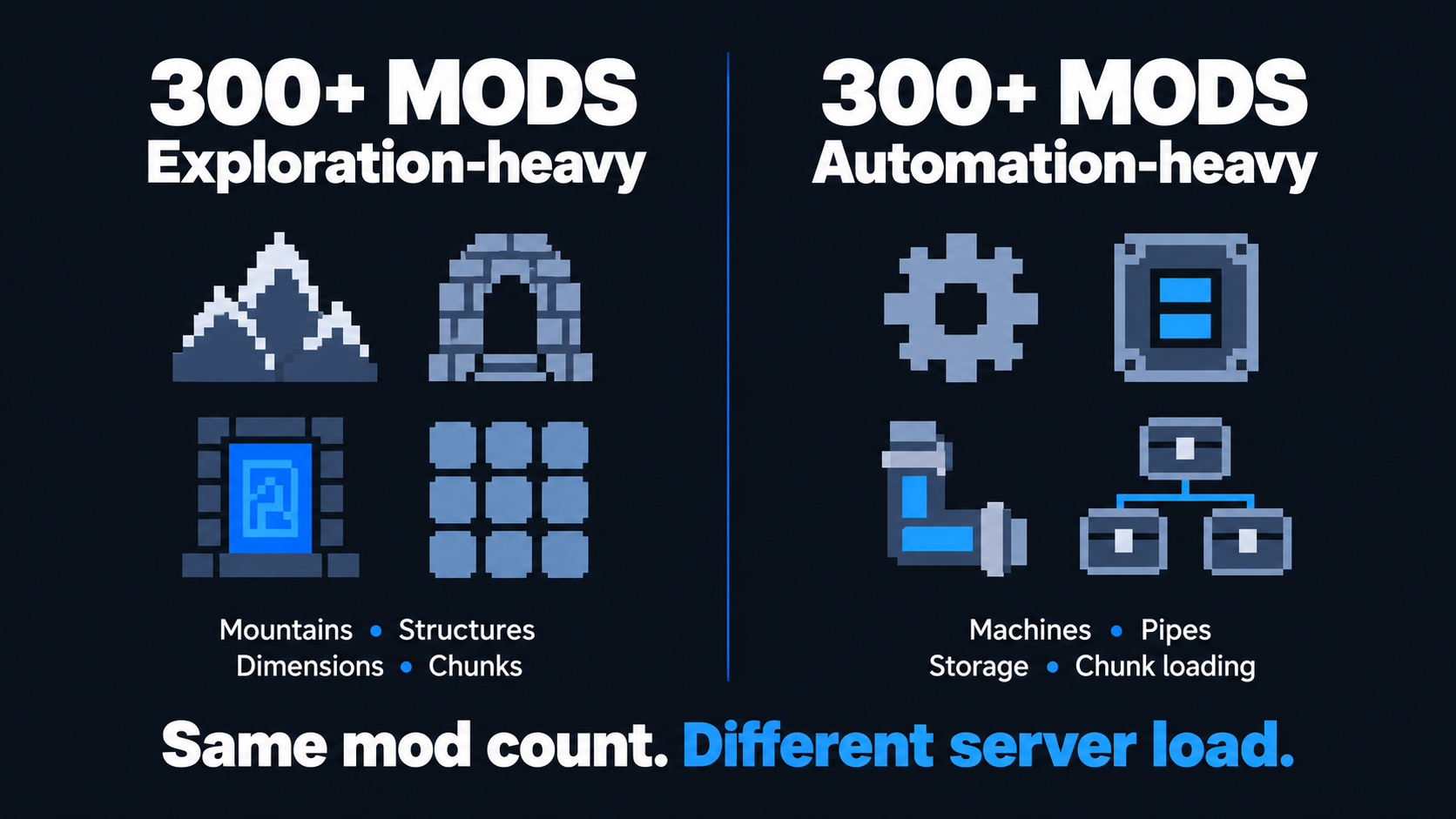
One entry in a pack might be a tiny library. Another might add several dimensions, large structures and custom world generation. Another might add a full industrial system with machines, pipes, power networks and automated crafting.
Some items in a client modpack are also client-side only: menus, shaders, visual tweaks, maps or rendering features. They can increase the number shown by the launcher without creating the same kind of dedicated-server workload as a worldgen or automation mod.
The best current example is the packs themselves. Better MC BMC4 officially advertises 350+ mods and is primarily an exploration/vanilla+ pack. ATM10 advertises around 500 mods and contains a much broader mix of tech, magic, quests and endgame automation. Craftoria also advertises 500+ mods, with 2,000+ quests and several major dimensions. Those three pack sizes look similar on a product page; their long-term server workloads are not identical. Better MC BMC4 · ATM10 · Craftoria
RAM for 2-3 players
For two or three players, we would usually start a 300+ mod server at 8 GB rather than jumping straight to 16 GB.
Eight GB is enough headroom for many large private packs, particularly when the group shares one base and explores together. It is also meaningfully above the minimum guidance published for most All The Mods server packs.
We would move toward 10-12 GB sooner if the pack is especially large, the server is already well progressed, the players maintain separate bases, or the pack includes heavy world generation and automation at the same time.
What we would not do: choose 16 GB purely because CurseForge says the pack contains 300, 400 or 500 mods.
RAM for 4-6 players
For four to six players, 8-12 GB is the realistic range, with 12 GB being the more comfortable default for the heavier kitchen-sink and custom packs.
This is where player behavior starts to matter more. If six friends live near each other, much of the same world stays loaded for everyone. If the same six people build in six locations and explore separate dimensions, the server has much more work to maintain.
A recent pattern we see in hosting conversations is exactly this: a four-player group with a very large custom pack asks for the biggest RAM number first. The better question is what kind of pack it is and what the players plan to do. If the workload is mostly world generation or later becomes CPU-bound, buying extra unused heap will not solve that.
RAM for 7-10 players
At seven to ten concurrent players, 12-16 GB becomes a sensible starting band for a 300+ mod pack.
The upper end becomes easier to justify when the server is long-lived, several players use force-loaded chunks, multiple bases contain automation, or the group regularly spreads into different dimensions.
We would still avoid treating 16 GB as a magic number. If a 16 GB server has bad TPS because one factory or fresh terrain is consuming the tick budget, moving to 20 or 24 GB may change absolutely nothing.
CPU matters more than most hosting calculators admit
Once a modded server has enough memory, CPU performance is often what determines whether it actually feels responsive.
Minecraft's server simulation targets 20 ticks per second. The spark profiler documentation explains that this gives the server roughly 50 milliseconds to finish each tick. If the tick takes longer, the next one is delayed and the game starts feeling slow. spark: TPS and MSPT
The important detail is that the main tick loop cannot simply split one tick across a dozen CPU cores. Modern Minecraft and mods can use additional threads for some jobs, but strong per-core performance remains extremely important because the critical game tick still has to finish on time. spark: The Tick Loop
Do not compare CPUs by core count alone - A "6-core server" is not automatically faster for Minecraft than a "4-core server". The CPU generation, architecture, clock behavior and per-core performance matter. For a private modded server, a fast modern desktop-class CPU is usually more valuable than a large number of slow shared cores.
Chunk generation can become the bottleneck before RAM does
Large modpacks often add biomes, structures, ores and entire dimensions. When players enter fresh terrain, the server has to generate those chunks rather than simply load them from disk.
That is why a server can be perfectly smooth at the base and suddenly fall behind when two players fly in opposite directions.
The effect is especially relevant for exploration-heavy packs such as Better MC and for kitchen-sink packs where worldgen is only one part of the workload. If lag follows fresh terrain but memory still has headroom, look at tick time and CPU before assuming the server needs more RAM.
For a persistent server with aggressive exploration, world pregeneration can move some of that cost out of active gameplay. It is not free: pregenerated chunks increase disk usage and backup size.
Late-game automation changes the answer
The server you need on day one is not always the server you need after 100 hours.
Tech packs can accumulate storage networks, item transport, autocrafting, farms, power systems, mob processing and force-loaded chunks. Many of those systems continue doing work every tick.
This is why a three-player late-game ATM10 world can be a more demanding server than a six-player fresh world. Player count stayed lower; the persistent workload got much larger.
If the server becomes slow only after the group builds a particular factory or enters late-game progression, use a profiler before buying more memory. Piggo's lag diagnosis guide
Storage: the part people forget until the world is huge
Do not size storage from the modpack download alone.
ATM10's current 8.2 server archive is already about 1.1 GB before your world has generated a single chunk. From there, worlds grow as players explore, create dimensions, generate map data, produce logs and keep backups. ATM10 ServerFiles-8.2
For a private 300+ mod server, we would avoid plans that leave only a tiny amount of usable disk space after installation. As a practical rule, tens of gigabytes of free NVMe space are much more comfortable than trying to squeeze a large persistent world into a 10-20 GB cap.
If you pregenerate large areas, keep multiple local backups or run an exploration-heavy world for months, storage can become a real capacity issue long before the modpack itself changes.
Storage recommendation - Prefer NVMe storage and leave room for the world to grow. For a normal private server, roughly 50 GB of usable space is a comfortable floor; 80-100+ GB is more appropriate if the world will be long-lived, heavily explored or pregenerated. Treat this as capacity planning, not an official modpack requirement.
Why two 300-mod packs can need completely different servers
| Pack type | What gets expensive | RAM pressure | CPU/tick pressure |
|---|---|---|---|
| Exploration / RPG | Fresh chunks, structures, mobs, dimensions | Moderate to high | Can spike heavily during exploration |
| Automation / tech | Machines, storage, logistics, farms, chunk loading | Moderate to high | Often rises as the world progresses |
| Vanilla+ / QoL-heavy | Worldgen and entities more than industrial systems | Often lower for same mod count | Depends heavily on exploration |
| Custom kitchen sink | Potentially all of the above | Unpredictable until tested | Unpredictable until tested |
This is the core reason we would rather know the pack name or mod list than only hear "it has 350 mods." The count tells us it is large. The content tells us how it is likely to behave.
Real examples: ATM10, Craftoria and Better MC
ATM10: around 500 mods, broad late-game workload
ATM10 currently advertises around 500 mods on Minecraft 1.21.1 / NeoForge. It combines exploration with large tech and magic systems, and its current official server archive is about 1.1 GB. ATM10 on CurseForge. The official All The Mods server guide uses 6 GB+ as the general minimum for most ATM packs, but real multiplayer sizing depends heavily on progression and player behavior. All The Mods server guide
Craftoria: 500+ mods, but its official server config starts much smaller
Craftoria 1.37.0 advertises 500+ mods and 2,000+ quests. Its current official server setup is configured for a 5 GB maximum heap, while the TeamAOE FAQ recommends roughly 8 GB for the pack and warns that excessive allocation can increase garbage-collection pauses. Craftoria on CurseForge · Craftoria server config · Piggo's Craftoria RAM guide
Better MC BMC4: 350+ mods with a different workload profile
Better MC BMC4 currently advertises 350+ mods, but it is positioned as a vanilla+/adventure pack with overhauled world generation, bosses, structures and dimensions rather than a giant industrial automation pack. Better MC BMC4 on CurseForge. That does not make it "light", but it shows why 350 mods in one pack cannot be treated as equivalent to 350 mods in another.
Common mistakes when choosing hosting for 300+ mods
- Buying RAM based only on the number of mods.
- Choosing a host with a lot of RAM but a weak or heavily shared CPU.
- Ignoring storage limits until exploration or backups fill the disk.
- Assuming one player's client RAM requirement is the same as the dedicated server requirement.
- Treating 100% allocated heap usage as proof that the server needs an upgrade.
- Ignoring world age: a mature automated base can be much heavier than a fresh world.
- Running every client-side mod on the dedicated server when using a custom pack.
- Upgrading resources before checking whether the actual problem is chunk generation, entities, automation or a broken mod.
How to test whether your server is actually big enough
The best server is not the one with the biggest numbers. It is the one that can handle your actual workload with headroom.
- Check TPS/MSPT while the server is busy, not while it is empty. Minecraft targets 20 TPS and roughly 50 ms per tick.
- Test during the activity that causes problems: fresh exploration, a busy factory, a mob farm or several players online at once.
- Watch for real memory pressure: OutOfMemoryError, container kills, or repeated long garbage-collection pauses.
- Compare performance at the base versus away from it. Location-specific lag often points to machines, entities or loaded chunks rather than RAM.
- If you change resources, change one thing at a time so you can tell whether it actually helped.
For a deeper troubleshooting workflow, use Why Is My Modded Minecraft Server Lagging? RAM vs CPU vs Chunk Generation.
What we would buy for a 300+ mod friend-group server
For 2-3 players: start around 8 GB on a fast modern CPU. Move to 10-12 GB if the pack is exceptionally heavy or the world is already mature.
For 4-6 players: 8-12 GB is the useful range; for a heavy custom pack, ATM-style kitchen sink or long-term world, 12 GB is the safer default.
For 7-10 players: start around 12 GB and consider 16 GB when the group spreads out, keeps multiple areas loaded, or has substantial late-game automation.
CPU: prioritize strong per-core performance over a large number of slow cores.
Storage: use NVMe and leave meaningful headroom for world growth. Avoid tiny 10-20 GB caps for long-running large packs.
Backups: make sure the host's backup policy is clear, especially before pack updates. A 300+ mod custom pack has more ways to break during an update than vanilla Minecraft.
The recommendation we trust most - Tell the host the actual pack name (or send the custom pack), the number of players, and whether this is a fresh or established world. That is more useful than telling them "300 mods" and buying whatever RAM number a calculator outputs.
How Piggo approaches heavy modpacks
Piggo is built around modded Minecraft, so the first question is usually not "how many gigabytes do you want?" It is "what are you trying to run?"
If you are bringing ATM10, Craftoria, Better MC or a custom CurseForge pack, we can help size the server around the pack and the group rather than treating every 300-mod server as identical.
That matters even more for custom packs. Client-only mods, loader versions, dependencies and configs can stop a dedicated server before RAM is relevant at all. How to turn a custom CurseForge modpack into a server
If you want to test the actual pack instead of trusting a spec sheet, Piggo offers a 48-hour trial. The point is to see whether your real world, real modpack and real friend group run the way you expect before committing. See Piggo's managed modded Minecraft hosting
The short answer
A 300+ mod Minecraft server usually needs more than a lightweight vanilla server, but it does not automatically need 16 GB of RAM.
For small friend groups, 8 GB is often a sensible starting point. For 4-6 players, 8-12 GB covers a wide range of heavy packs. For 7-10 players or mature automated worlds, 12-16 GB gives more headroom.
After that, the CPU and the world itself matter more than the mod counter. Fresh chunk generation, several dimensions, chunk-loaded factories and thousands of ticking entities can all become the bottleneck while RAM is still available.
So do not buy hosting for "300 mods". Buy hosting for the pack you are actually going to play.
Sources
Frequently asked questions
Modded Minecraft hosting, managed
- 48-hour free trial, no card needed
- 1-hour fix guarantee, 08:00-22:00 Amsterdam time
- Daily offsite backups, kept 7 days
Related articles
Why Is My Modded Minecraft Server Lagging? RAM vs CPU vs Chunk Generation (2026)
Modded Minecraft server lag is not always a RAM problem. Learn how to tell whether RAM, CPU/tick time, chunk generation, entities, automation, or networking is actually causing the slowdown.
How to Turn a Custom CurseForge Modpack Into a Minecraft Server (2026)
Built a custom CurseForge modpack that works on your PC? Here is how to turn it into a dedicated Minecraft server without client-only mods, missing dependencies, broken configs, or loader mistakes.

How Much RAM Does All the Mods 10 Need? Server Requirements for ATM10 (2026)
Hosting All the Mods 10 with friends? Practical RAM guidance for 2-10 players, plus CPU, chunk generation, late-game automation, pregeneration and setup advice for ATM10 8.2.